UNetbootin
UNetbootin is a tool, available on all 3 platforms i.e. Linux, MacOSX and Windows, that allows you to create Bootable Live USB drives, or you if you are short of USB flash-drives, you can go for the frugal-install on the hard-disk.
UNetbootin either makes use of ISO images of distributions present in your computer, and if in case you are short of them too, it downloads the respective image from the internet, and then uses it to burn to your DVD, or perform the frugal-install, (i.e. if by any chance you have to resort to that level.)
Rikomagic’s Quad-core, Android v4.2, Mini-PC
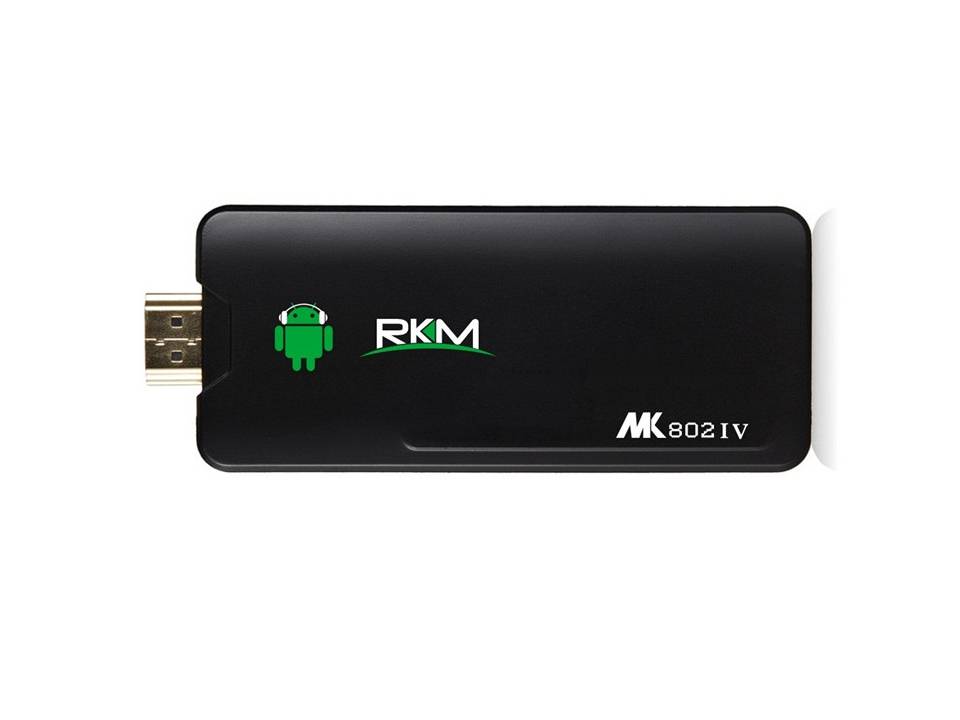
This dongle’s got a quad-core processor, comes with Android 4.1 JellyBean pre-installed, that’s upgradable to 4.2, and has been designed to be simply plug-ged into the HDMI port of your TV.
Slightly-more-specific Specifications are:
- OS: Android v4.1(JellyBean)
- Processor: 1.8Ghz Cortex-A9 Quad-Core.
- Memory: 8GB
Pronouncing “Linux”
A topic quite debatable, as to whether it is pronounced as “lie-nucks”, or as “lee-nucks.”
Though, ive always pronounced it as the latter, I realized that Linux has been named after Linus Torwalds, and the forename in question, I heard being pronounced as “lie-nuss,” and therefore decided to correct this.. error.
I actually researched on the subject, and on the internet, i came across this recording of Linus Torwalds himself, pronouncing the word as Linus.
Here, give it a “hear.” 😀 😉
Ubuntu Derivatives
Ubuntu is the most popular, and most-widely-used Distribution of Linux present. Based on Debian, it too is open-source, but unlike Debian, which is like all about networking, Ubuntu is, well, the preferred one for normal, home users.
Now, with ubuntu’s being open-source, come several derivatives.
Read Full PostBootdisk.com
“Your computer isn’t doomed. Fight back with BootDisk.com” A Collection of Floppy Disk Images, ranging from MS-DOS 5.0 to Windows XP Professional 2006.
RAID Drives and Storage Pools
Windows 8 comes with a built-in storage-pool feature, and Drive-Bender is a ‘state of the art, single point storage pool technology’, and the upcoming PoolHD would be the “fastest and easiest way to create and maintain a storage pool of virtually infinite size.”
Now the question arises, what are these, so called, “Pools”? Well, before I answer that, let me explain what RAID Drives are, (though I’m no expert and to be honest, I myself didnt know anything about the two until a while ago.)
RAID, short for Redundant-Array-of-Independent-Disks, which bundles a group of hard-drives, in such a way that they function as a single super-drive. There are a few different kinds of RAID, each with its unique features and advantages.
A Storage-Pool, is similar to a RAID drive, or more like, a user-friendly-home-applicable form of a RAID drive, that too brings multiple hard-drives or partitions together, so that they function as one pooled-drive.
“Windows 8 Setup Failing After Reboot” – Solved
A common problem these days, which I myself have experienced, while installing Windows 8 CP, and PRO on my Dell INSPIRON N5110.
What actually happens is that, the initial part of the Windows Setup goes very well, and then the system goes down for reboot, at which, most people remove their installation media from the device. This is perfectly normal, and has nothing to do with what follows, i.e. It starts booting into Windows 8, and you can see the Win8 Logo, and the loading animation, which stays for a few seconds, and then fades away, leaving the screen all black,
Read Full PostWindows Phone Demo
Now you can actually “Test-Drive” the Windows Phone.
Torrents vs Magnet Links
When we download stuff using torrents, we first download a *.torrent file and run it with our bittorrent client. The torrent file contains information that leads to the download.
Magnet Links are such that, when clicked on, start your default torrent client and start off with the download immediately, without the *.torrent file.
It saves time(hardly a minute though), and well, wont clutter your disk with stupid files worth no more than a few KBs.